Talk to your data.
On web and mobile.
Ask your databases anything in plain language. Cayra Client finds the right tables, builds the answer, and returns it in seconds — with every AI step visible.
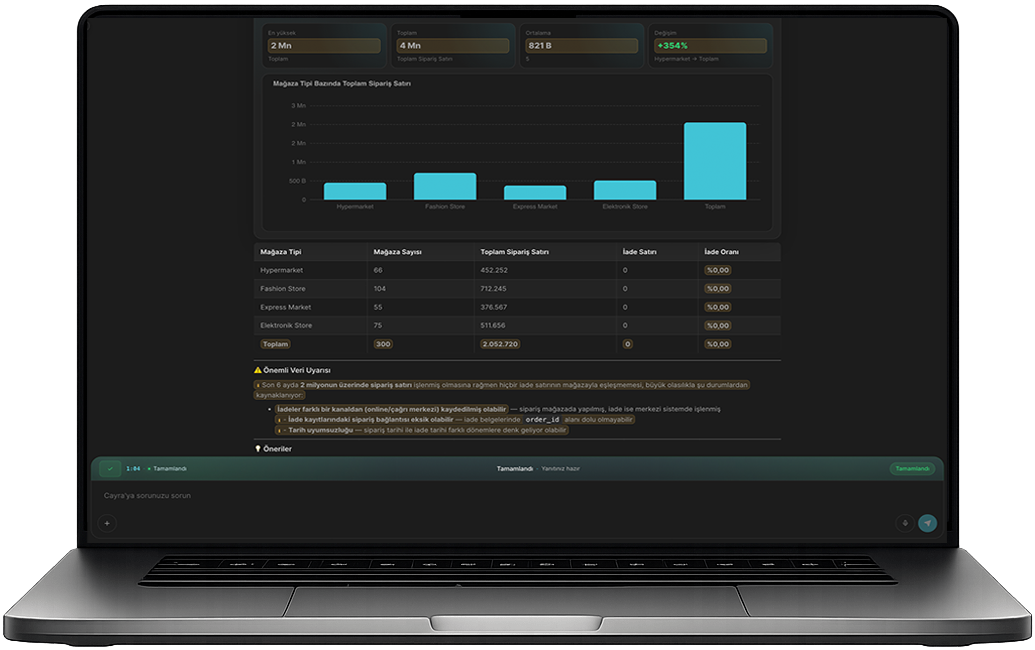
One question — an answer in seconds
From login to insight, the entire flow stays simple — whether you are on a browser or your phone.
Log in with your phone number
Enter your number, receive a one-time code. No password, no setup, no training needed.
- OTP login — works on web and mobile
- Biometric login on iOS and Android (Face ID, fingerprint)
- No account creation — your admin adds you
Ask in plain language
Write your question the way you would ask a colleague. No SQL, no table names, no technical knowledge needed.
- "Which product groups drove the most revenue this week?"
- "Which warehouse had the highest turnover last month?"
- "Which customer orders are at risk of delay?"
Watch the AI work — live
Cayra Client shows every step of the AI's thinking process as it happens. No black box.
- Which tables it looked at
- The SQL query it wrote
- The result it observed
Read the answer or download the report
The result comes back as a clear, readable summary — or export it instantly.
- Answers in plain language with context
- Export as Excel or PDF in one click
- Continue the conversation without switching tools
Pick up where you left off
Every conversation is saved server-side. Close the browser, switch to mobile — your history is exactly where you left it.
- Full query history preserved
- Switch between web and Cayra Client mobile app seamlessly
- Available on iOS (App Store) and Android (Google Play)
What makes Cayra Client different
Not just faster queries — a fundamentally different way to work with your data.
You see what the AI is thinking
Computer Panel shows every AI step live: which tables it checked, the SQL it wrote, the result it observed. Transparent, trustworthy.
Your query history is always there
Every conversation is saved server-side. Pick up exactly where you left off, on any device.
Export the report from the conversation
From the same conversation, generate an Excel or PDF report in one click. No extra tools.
Different sectors, same platform
Cayra Client helps teams across industries communicate more clearly and securely.
Manufacturing and Logistics
Warehouse, production, sales, logistics - all teams communicate on one platform. Track orders with suppliers.
Warehouse staff: "Material X is finished, urgent order needed." Purchasing: "Okay, contacting supplier." Supplier (via Cayra Client): "Sending tomorrow."
Much more than messaging
Cayra Client brings everything together under one roof: from messaging to team management, AI support to smart tracking.
Messaging and Coordination
One-on-one and group chats
Groups and Workspaces
Create department-specific groups
Controlled Work with Suppliers
Invite suppliers to the system
See detailed Smart Agent scenarios in the section below.
- Ask questions in a dedicated Cayra conversation
- Get quick business-related information
- Request pre-meeting summaries
- Quickly gather needed information before decisions
Questions your teams are already asking
From retail to logistics, finance to HR — Cayra Client handles the questions that slow teams down every day.
Retail
- "Which product groups drove the most revenue this week?"
Logistics
- "Which orders are at risk of late delivery this week?"
Manufacturing
- "How did output per shift change over the last 30 days?"
Finance
- "What is the total value of receivables due this month?"
HR
- "Which department has the highest leave usage?"
General Management
- "Which customer segment was most profitable last quarter?"